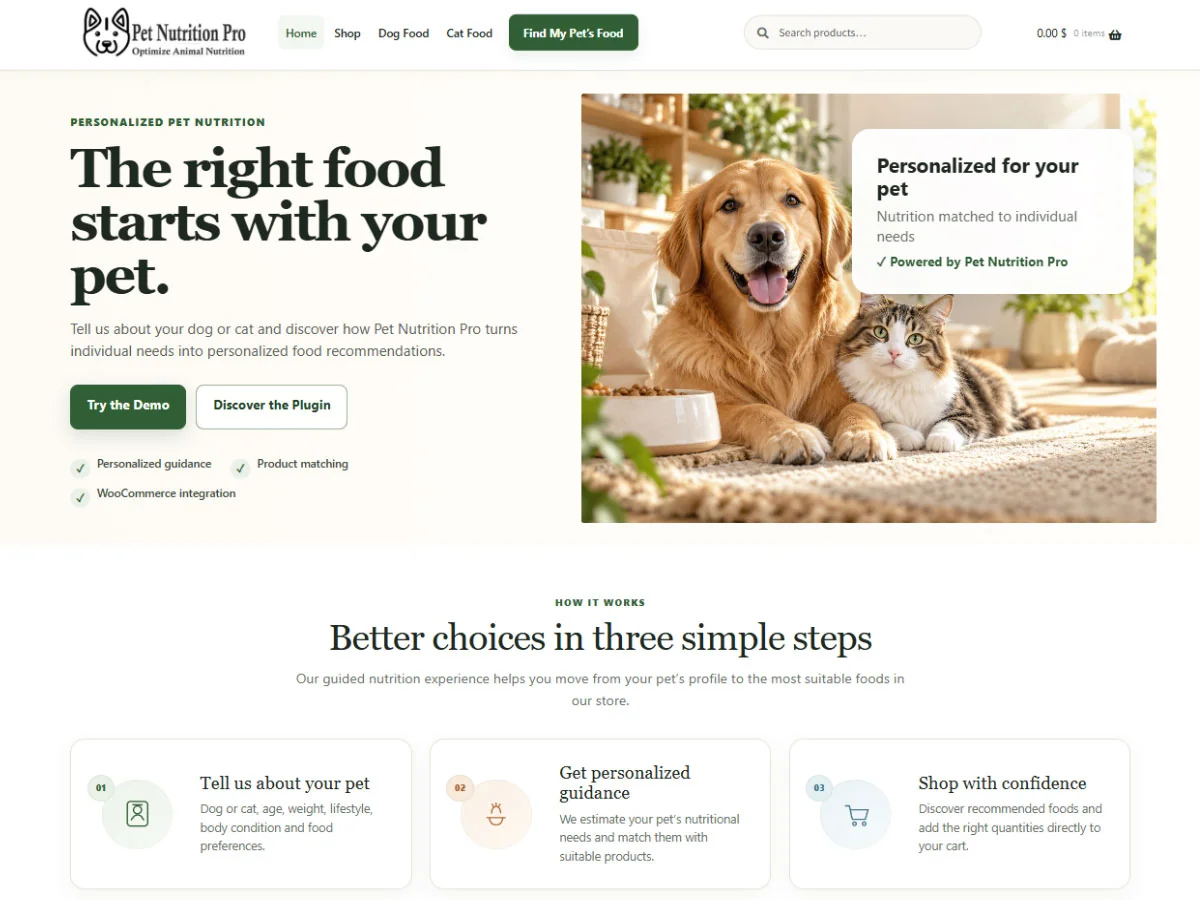
Collect the pet’s information
The pet owner completes a simple guided questionnaire with the information needed for the calculation.

WooCommerce plugin for personalized dog and cat nutrition
Pet Nutrition Pro calculates your pet’s nutritional needs and automatically recommends the most suitable products from your catalog. More confidence, more value, more conversions.
See how it works →

Customers often do not know which product is right for their pet. Too many options and no personalized guidance can lead to abandoned carts, returns, and lower customer loyalty.
Pet Nutrition Pro turns a few essential details into a guided selection of products from your WooCommerce catalog.
The pet owner completes a simple guided questionnaire with the information needed for the calculation.
The nutrition engine estimates the pet’s daily energy needs based on the information provided.
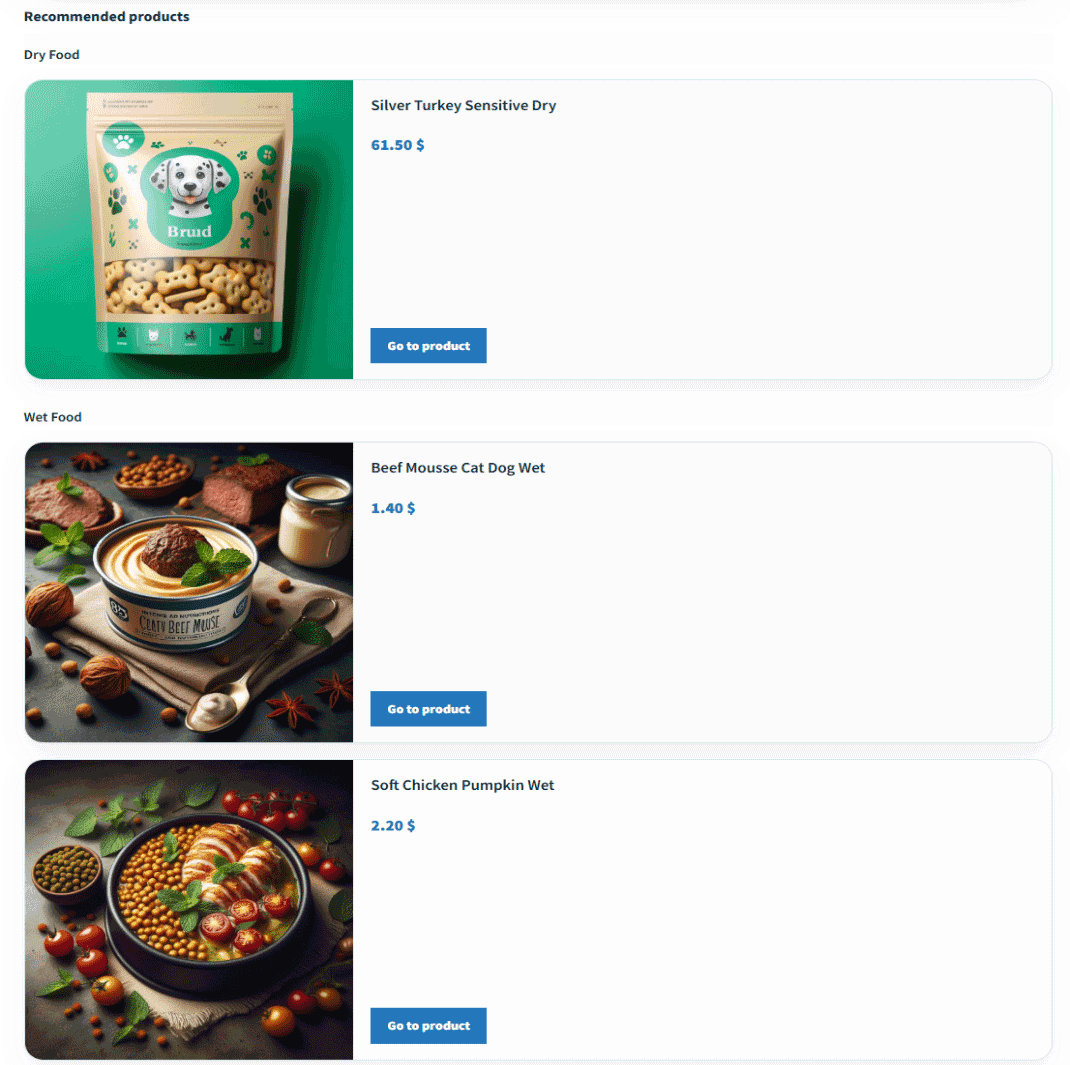
The customer receives a selection of the most suitable products from those actually available in your catalog.
From pet profile to cart
Customers can understand why a solution is suitable for their pet and move directly to the recommended products in your WooCommerce catalog.
The pet profile, calorie requirements, and preferences are brought together in a clear and easy-to-understand summary.
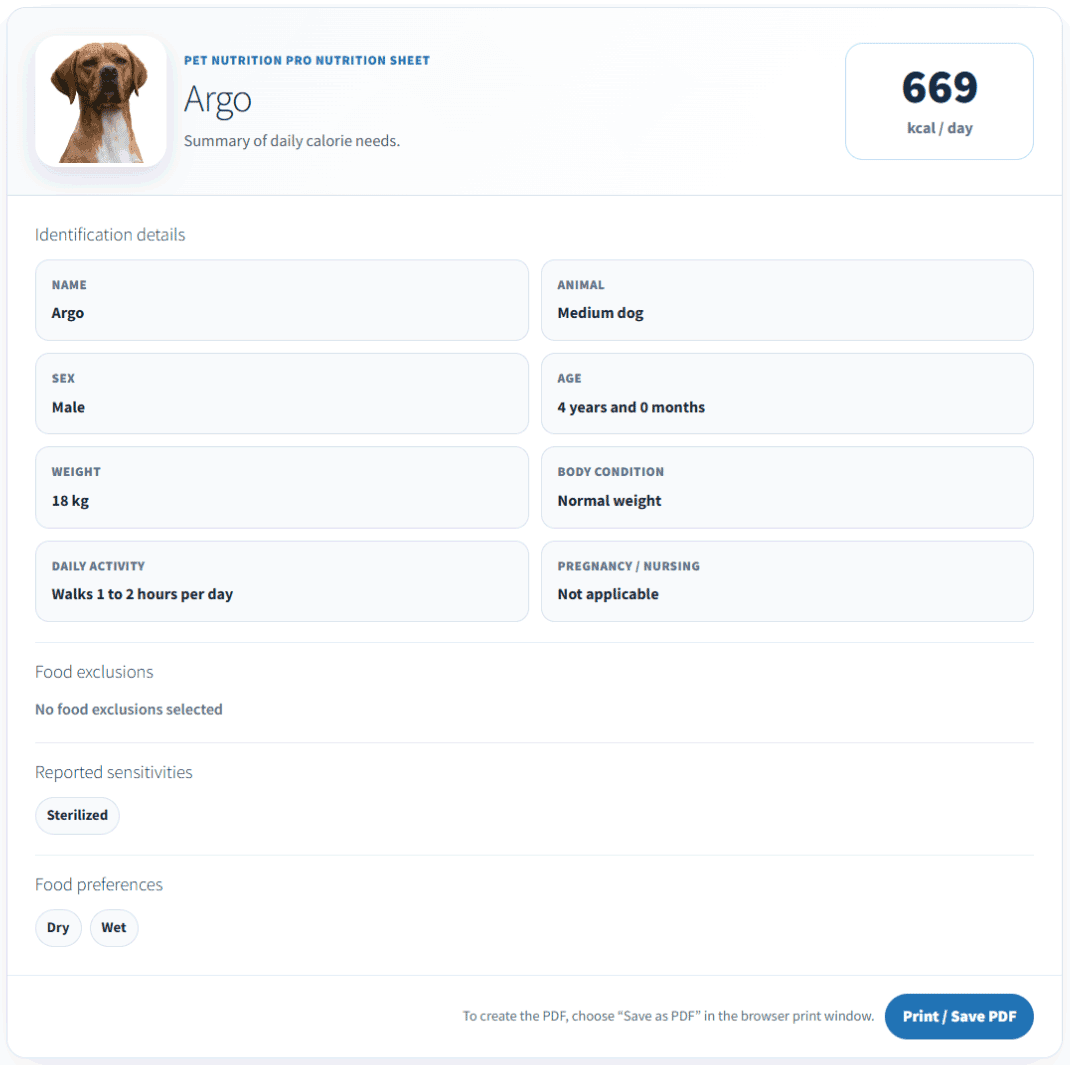
Diet Engine connects the result with the products actually available in your store catalog.
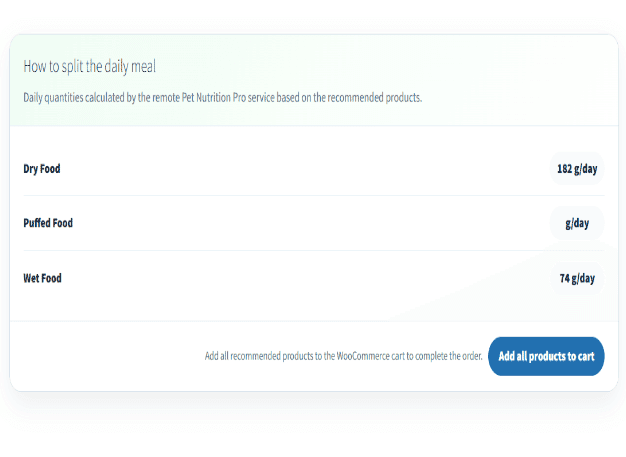
Daily feeding amounts help guide the customer’s choice, and suggested products can be added directly to the cart.
Pet Nutrition Pro turns your catalog into a tool that helps guide product selection and build customer confidence.
Recommendations start from a real need and guide customers toward the most suitable products available in your catalog.
Recommendations are based on the pet’s nutritional profile, not simply on brand recognition or price.
Customers understand why a product was recommended and can make their decision with greater confidence.
A useful, personalized experience makes your store more distinctive and encourages customer loyalty.
The system can recommend multiple compatible products and add them together to the WooCommerce cart.
See how a personalized feeding plan guides customers toward the most suitable products in your WooCommerce catalog. A more technical overview is also available for agencies.
See how Pet Nutrition Pro collects the pet’s information, calculates nutritional requirements, and automatically recommends compatible products available in the catalog.
An overview focused on installation, configuration, customization, and Diet Engine activation for your clients’ WooCommerce projects.
Diet Engine
Diet Engine processes the information collected through the questionnaire, estimates the pet’s nutritional requirements, and automatically identifies compatible products in the WooCommerce catalog. Customers receive a personalized recommendation built around the products actually available in your store.
The system uses nutritional criteria developed with reference to FEDIAF and NRC guidelines. Pet Nutrition Pro is an informational decision-support tool and does not replace veterinary diagnosis, prescription, or professional advice.
Diet Engine Plans
Every plan includes access to Diet Engine, plugin updates, and use of Pet Nutrition Pro on the domains included with your license.
For one online store, manufacturer, or individual brand.
For businesses, manufacturers, and growing store networks.
For web agencies and developers managing multiple clients.
Prices are shown excluding VAT. Applicable taxes will be calculated at checkout based on the billing country and, for European Union businesses, VAT number validation.
For agencies and developers
Integrate Pet Nutrition Pro into the WooCommerce stores you build or manage. The Agency plan lets you manage multiple installations, customize how results are presented, and offer your clients a distinctive service.
From installation to launch
Install the plugin, configure your catalog, and verify the complete customer journey before making it available to your customers.
Upload and activate the plugin on a WordPress site where WooCommerce is already installed and active.
Go to installation →Set up the questionnaire page and verify the automatically created Resulting Diet page and the shortcodes used by the plugin.
Go to initial setup →Enable products for diet recommendations and configure food category, kcal/100 g, target pets, and compatibility.
Go to products →Check calculations, compatibility, product ordering, recommended products, printing, and the cart flow.
Go to testing →Complete the final checks, review privacy settings, test mobile devices, and verify the experience as a logged-out user.
Go to final checks →The questionnaire collects information such as species, sex, age, weight, body condition, activity level, and selected food preferences or exclusions. The required information may vary depending on the pet’s profile.
Yes. Pet Nutrition Pro works with your existing WooCommerce catalog. Products that should participate in recommendations must be enabled and configured with the information required by the plugin.
Pet Nutrition Pro is designed to integrate into WordPress pages. The Appearance and Layout section also lets you customize colors, width, typography, the nutrition summary, and recommended-product presentation. Before going live, you should still test the plugin with your active theme and other installed plugins.
No dedicated calculation engine needs to be installed on your store’s hosting environment. Your site uses WordPress, WooCommerce, Boma Pet Nutrition Pro, and the remote connection provided by the service.
Diet Engine considers the preferences provided by the customer, compares the pet’s profile with products configured as compatible, and then applies the product ordering defined by the store owner. The result does not constitute veterinary diagnosis, prescription, or medical advice.
Install the plugin on your WooCommerce site and create a guided nutrition experience for dogs and cats. The Free version generates an estimated nutrition summary, while Diet Engine adds advanced processing and automatically matches suitable products from your WooCommerce catalog.
Downloading the plugin does not automatically activate Diet Engine. Advanced processing, recommended products, and WooCommerce cart integration require a valid Diet Engine license.
Do not extract the file after downloading it.
Go to Plugins → Add Plugin → Upload Plugin.
Select petnutritionpro.zip and complete the installation.
Configure your products, questionnaire, and Pet Nutrition Pro settings.